







Our Speak Out section is designed to spur conversations on the day’s biggest stories by checking in with our viewers on their thoughts. The best part is, you can publish your own polls. Let’s get started.
1. First, create a profile. You can get see how to do that here.
2. Click on the Speak Out tab on the homepage.
3. Vote in the poll that appears. Once you’ve cast your vote, you will see a results page as well as tabs giving you the option to upvote, save, share, or comment on the poll. Select whichever option appeals to you or keep scrolling through to take more polls and share your favorite.
4. At the bottom of the poll you will see a “create your own poll” button. Click on that to make your poll.
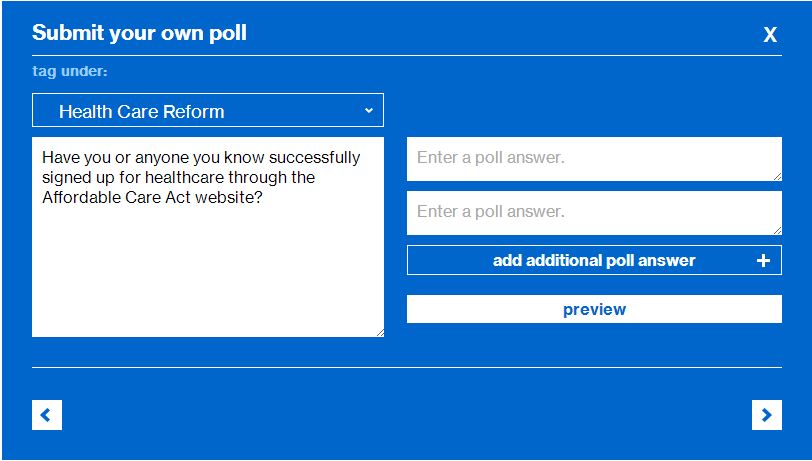
5. You will see this item pop up.

6. Select the issue that your poll pertains to, in this case, Health Care Reform.
7. Enter your poll question.
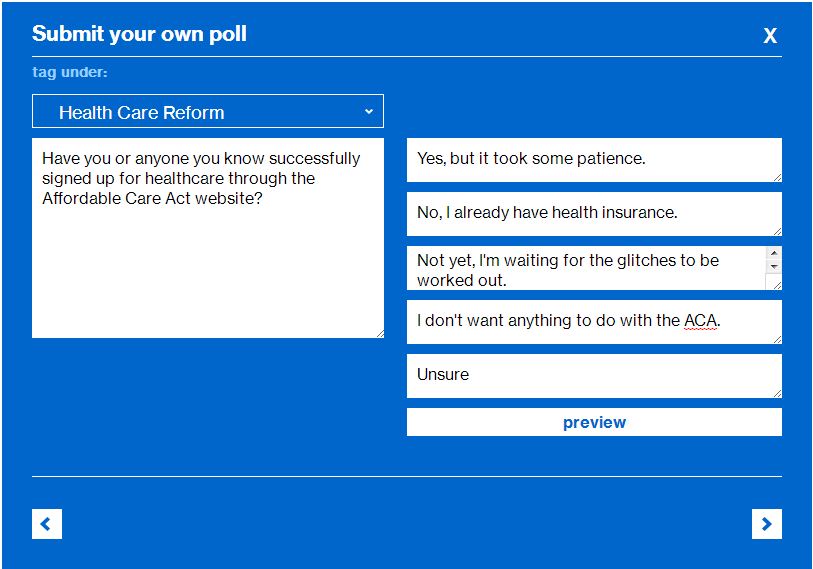
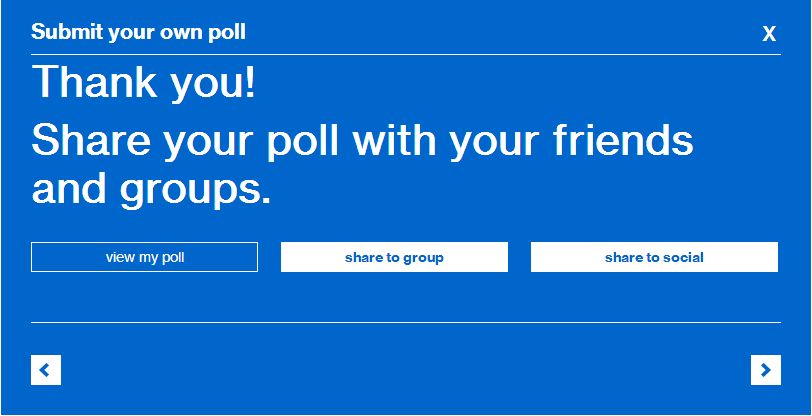
8. Enter the answers—try to have something for everyone. Then hit “preview.” 9. Look over your poll for grammatical or factual errors. You can then edit the poll or publish. 10. You can now view your poll, share to a group, and share to social. The poll will appear in your msnbc profile and, if the editors and readers like it, can be added to the Speak Out list along with the show polls and quotes. 11. And now, an editorial note: As Community Editors, we reserve the right to delete any polls that violate our Terms of Agreement and Community Rules, so play nice. Hop to it! We’re looking forward to seeing your work.
Gabriela Resto-Montero Recommended